Capture anything.
Sign up for nothing.
Webshot is the free browser extension for screenshots and screen recording on Chrome, Edge, and Firefox, with live annotation, blur, a camera bubble, and automatic follow-cursor zooms. Your captures stay on your device.
Six ways to capture
a screenshot, one click each.
Grab exactly what's on your screen, or save an entire page top to bottom as one clean image. Long articles, receipts, dashboards. No scrolling, no piecing screenshots together.
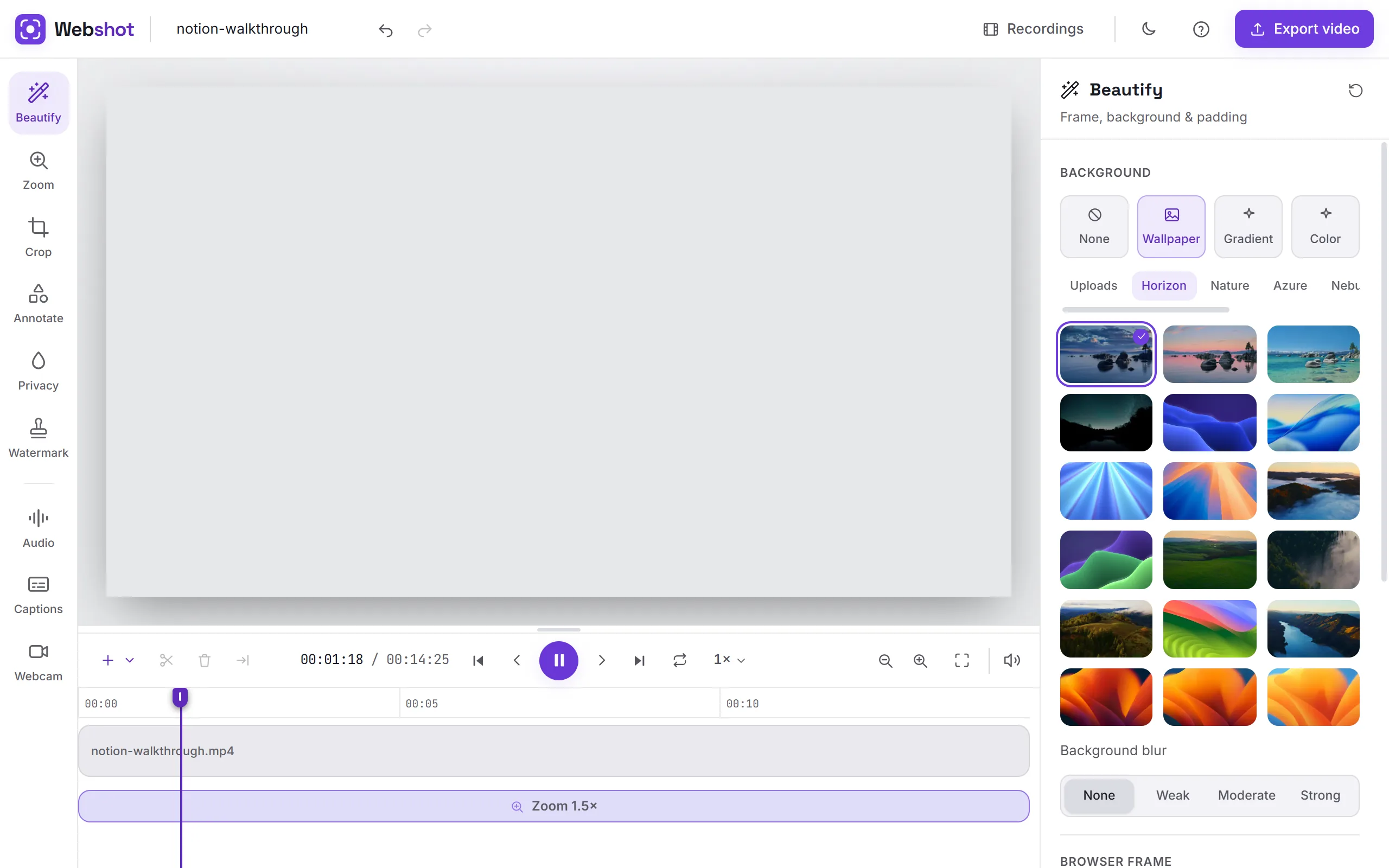
A screen recording studio in the corner of your screen.
Record any tab, window, or your whole desktop with microphone, system audio, and a floating camera bubble. Pause, resume, annotate, blur, and never lose a take.
Tools that ride along with your take.
Blur sensitive info, spotlight your cursor, and float a camera bubble, all layered on your recording with no post-production needed.
Blur faces, emails, secrets.
Hover any DOM element and click to drop a persistent blur overlay, even while recording.
Highlight, ripple, spotlight.
Four cursor styles so viewers can follow every move you make on screen.
You, in the corner.
A floating, draggable webcam preview with mirror toggle, custom resize handles, and camera-only mode.
Every tool to make a screenshot worth sharing.
Pen, arrows, shapes, text callouts, highlighter, blur, crop, and instant export. The full screenshot toolkit, right in your browser. Nothing to install.
The small things that save your day.
Everything around the capture itself. Tidy the page before you shoot, move fast after, pull text out of any image, set your own shortcuts, and never lose a take.
Tidy the page first.
Delete the cookie banner, anonymize a name, fix a typo. Reshape the live page so what you capture is what you meant to share.
From capture to share, in one click.
Pick what happens by default. Download the file, copy it to your clipboard, or open it in the built-in editor for a quick crop or annotation.
Select anything. Get the text.
Drag a region over an image, a paused video frame, or a scanned PDF. Webshot reads the text locked inside it and puts it on your clipboard.
Invoice INV-2291 Due 14 Oct 2026 · Total $4,820.00
Your shortcuts, your way.
Every action has a keyboard shortcut you can customize. Conflicts are caught before they cause grief.
Never lose a recording again.
If your tab reloads or the browser crashes mid-recording, Webshot finds the session next time you open it and lets you save it.
Private by default.
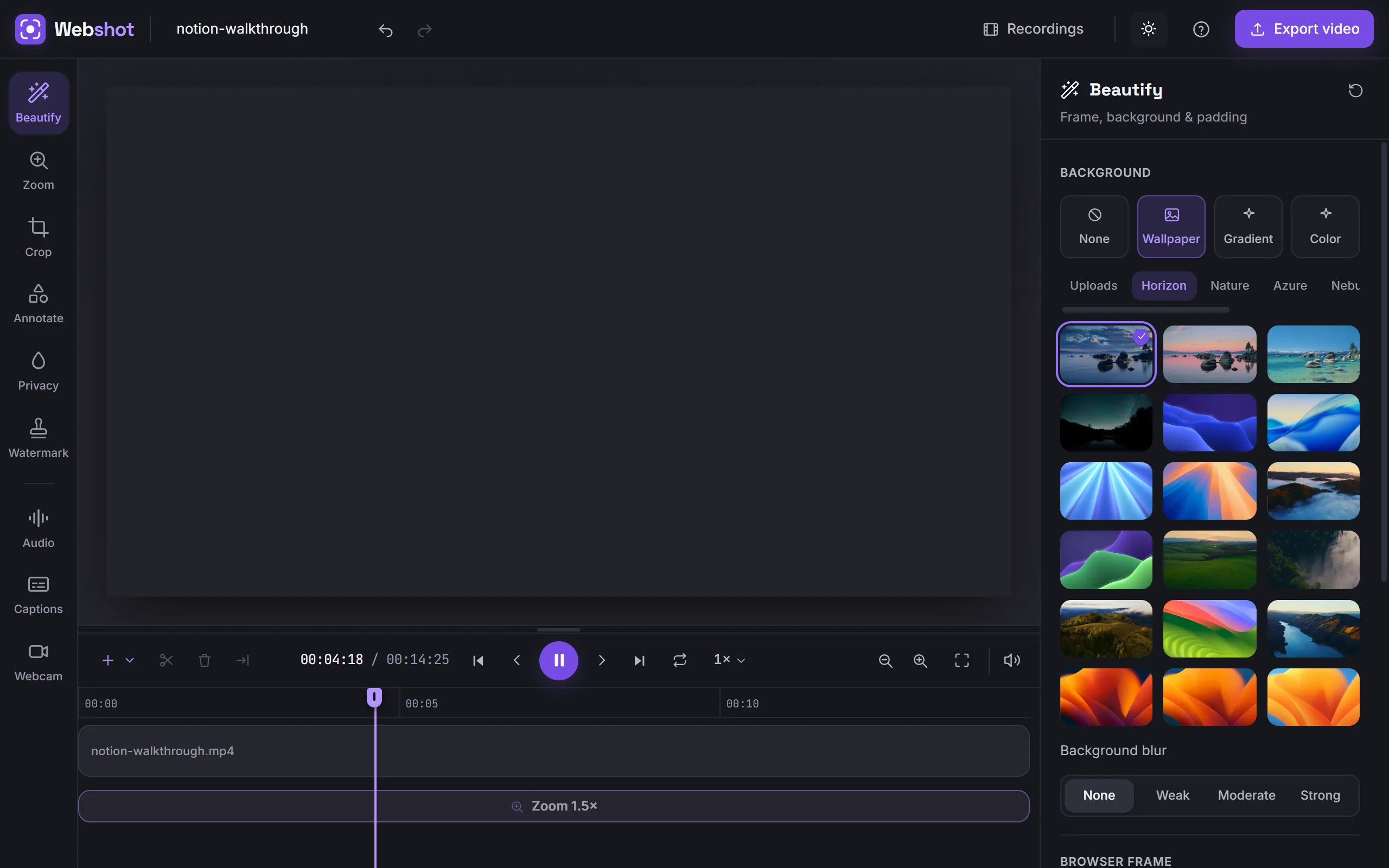
Works fully offline. No account, no telemetry, no upload. Your recordings stay on your device. Light, dark, or system theme, whichever you prefer.
Free where others charge.
No paywall on the good parts. Auto-zoom editing, unlimited recording, and watermark-free exports are all free in Webshot. No account, no subscription, no upload.
| This is WebshotWebshot | Loom | Screen Studio | Screenity | |
|---|---|---|---|---|
| Auto-zoom editor | Free | Paid AI | Paid | Pro editor |
| Recording limit | Unlimited | 5 min free | Trial, no export | Unlimited |
| Watermark-free | Always | Paid plan | Paid export | Always |
| Account required | No | Yes | Yes (licence) | No |
| Works offline | Yes | No | Yes (Mac) | Yes |
| Browser extension | Yes | Yes | No | Yes |
| Works on Windows | Yes | Yes | Mac only | Yes |
| Price | Free forever | $18/user/mo | $9/mo yearly | Free + $10/mo |
Prices verified Aug 2026. Loom free tier: 25 videos, 5-min cap.
Answers to your most common questions.
If your question isn't covered here, reach out through support and we'll get back to you.
Is Webshot really free?
Yes, all of it. Every capture mode, recording, the auto-zoom video editor, exports. No paid tier, no trial that expires, no credit card, no account.
Do my screenshots and recordings leave my computer?
No. Everything is saved and rendered on your device, with no telemetry, and Webshot works with no internet connection at all.
Can Webshot see what I'm browsing?
No. It only sees the tab or screen you point it at, at the moment you capture. It has no access to your other tabs, your history, or the pages you visit.
Does it record the whole desktop or just the browser tab?
Your choice. Record any tab, a single window, or your entire desktop. A picker asks which, every time.
Can it record my voice and my face too?
Yes. Pick any microphone (with a live level meter), capture system or tab audio on Chrome, and float a draggable camera bubble over the recording, or go camera-only.
What makes the video zoom in automatically?
Your clicks. While you record a tab, Webshot notes where you click, and the video editor opens with a smooth zoom already placed at each one. Nudge them, deepen them, delete them, or add your own.
Will my videos have a watermark or a time limit?
Neither. Record as long as you like and export MP4 or GIF with no watermark, rendered on your own machine with no upload queue.
Does it work on Firefox?
Yes. It works on Chrome and Chromium browsers (Edge, Brave, Opera, Arc), plus Firefox with full feature parity via its recorder tab.
Why Webshot instead of Loom or Screenity?
Everything they put behind a paywall is free here: auto-zoom editing, unlimited recording length, watermark-free MP4 and GIF exports. There's no account to create, no subscription to cancel, and no upload to wait for. The moment you stop recording, the file is on your device and it's yours.
Start capturing in 30 seconds.
Add Webshot to your browser. No account, no signup, no telemetry. Just a button in your toolbar.